
Ivan Matiushkin · Practical migration guides
How to check a CSV before importing it into an ERP
A file opening correctly in a spreadsheet does not make it ready for an ERP import. Each source record needs a valid, unambiguous destination. A rejected row must remain identifiable so it can be corrected later.
Independent technical walkthrough using synthetic data. Not a client deployment.
1. Agree what one row represents
Decide whether a row is an order, an order line or another business object. Define a stable source identifier and the fields required by the destination. Preserve identifiers as text when leading zeros matter. Agree the currency, decimal separator and date format instead of guessing them during import.
2. Check values before changing them
Check missing fields, malformed dates, invalid amounts and repeated identifiers. A repeated identifier with different contents needs investigation; it should not silently disappear as a duplicate. Keep the original value and the reason for rejection so the correction can be reviewed.
3. Treat mappings as a separate check
A well-formed product code may still be unknown to the target system. All six synthetic source rows in the working example pass validation. Removing the SKU-X99 product mapping nevertheless prevents TX-104 and TX-106 from being delivered. Validation and target mapping answer different questions.
4. Run a controlled import
Load the built-in sample in Migration Showcase, validate it and review the mapping. Use the guided walkthrough to remove the product mapping and run the migration. Four rows reach the target; two remain as exceptions. Inspect the affected identifiers before correcting the mapping.
5. Keep an acceptance checklist
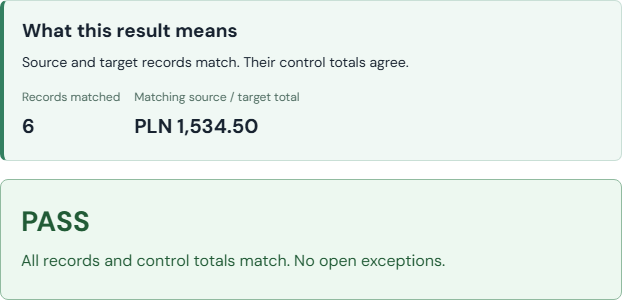
Before a larger run, agree the expected row count, financial control totals, field comparisons and handling of rejected records. Keep the input and mapping version. An exception report should identify the source row, failed rule and next action. The demo exports HTML and JSON evidence after reconciliation.
Limits of the example
The demonstration uses six synthetic records and a simulated target. It does not establish performance at your volume or compatibility with a specific ERP. A real scope needs the target specification, permissions and a representative test sample.
See a sample acceptance report →
 Open working example